Git 100 · lesson 2
Basic
Workflow
Where your changes live, and the commands that move them: add, commit, push, fetch, merge and pull.
Four places a change can be
LOCAL · your computer
REMOTE
Working
directory
Staging
area
Local
repository
Remote
repository
add
commit
push
fetch
merge
pull = fetch + merge
hello.py
john #1
john #2
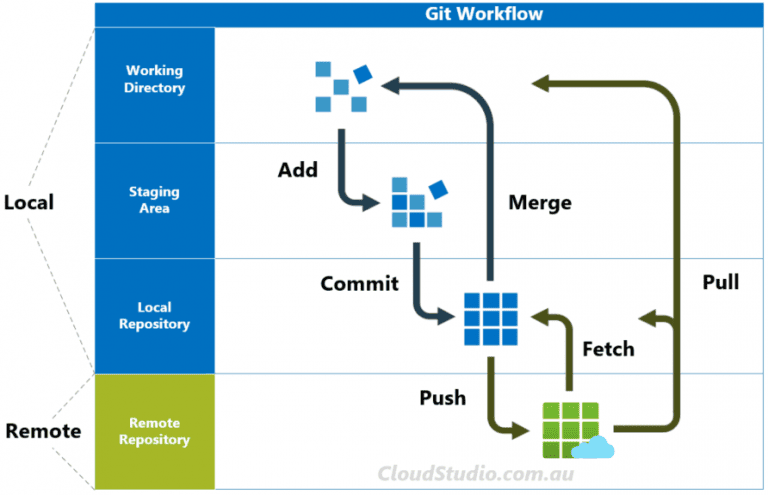
The workflow at a glance
Source: CloudStudio.com.au
The six commands
git add
Working directory → staging area: choose what goes into the next commit
git commit
Staging area → local repository: save a snapshot with a message
git push
Local repository → remote: share your commits
git fetch
Remote → local repository: download others' commits without touching your files
git merge
Local repository → working directory: combine those commits with your work
git pull
Fetch and merge in one command