Git 100 · lesson 3

Divergence and Conflicts

What happens when you and a teammate both commit on top of the same history, and how a pull puts it back together.

What is divergence?

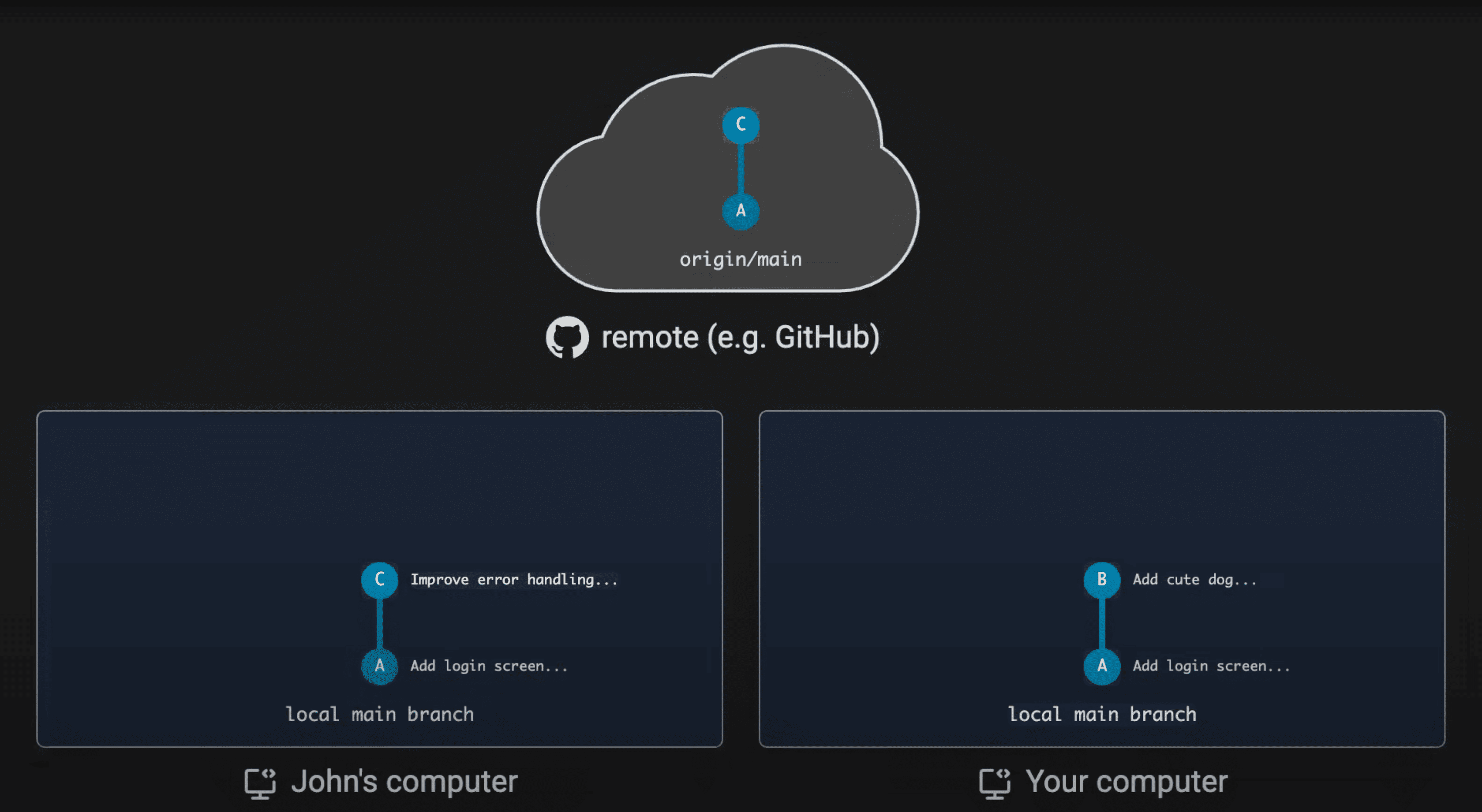
remote (e.g. GitHub) · origin/main John's computer · main Your computer · main

The same picture

origin/main has commits A then C; John's local main has A then C (Improve error handling); your local main has A then B (Add cute dog)

Both histories start at A, then split: they have diverged.
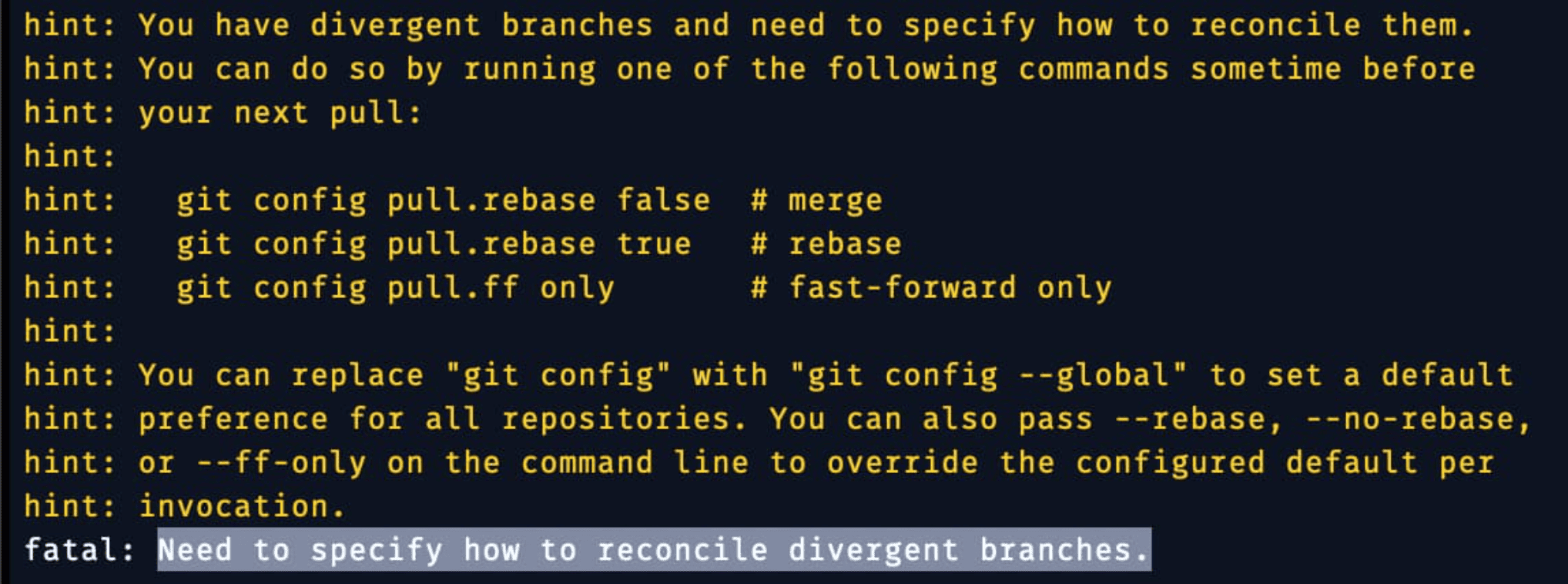
If you pull with divergence

git pull output: hint: You have divergent branches and need to specify how to reconcile them. Options: git config pull.rebase false (merge), git config pull.rebase true (rebase), git config pull.ff only (fast-forward only). fatal: Need to specify how to reconcile divergent branches.

Three ways to reconcile

When it becomes a conflict

If B and C changed the same lines, Git cannot combine them by itself. The merge (or rebase) stops and marks the file:


        <<<<<<< HEAD
        print("Hello, dog!")
        =======
        print("Hello, world!")
        >>>>>>> origin/main
      
  1. Edit the file to the version you want and delete the markers
  2. git add the file
  3. Finish with git commit (merge) or git rebase --continue (rebase)